
You can use the Settings dialog box to customize how to handle inbound faxes in eFax.
To manage inbound fax settings:
- Log in to the User Portal.
The Hosted Voice Home Page displays:

2. Click on the Fax menu icon.
The Fax screen displays in Inbox view, which shows a list of received faxes.

3. Click the Settings button
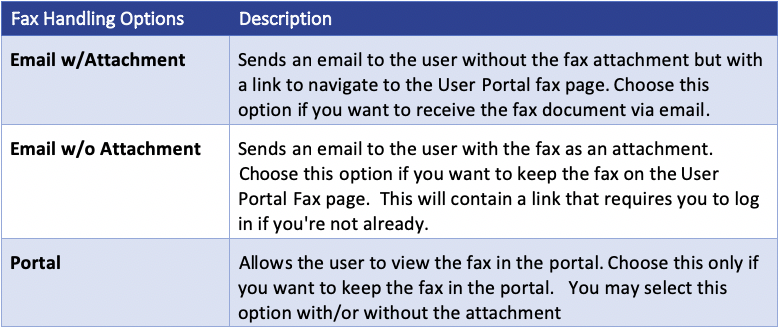
4. Select the desired options for how you want to handle inbound faxes. The following table describes each option:
NOTE: You cannot modify the Enabled Methods. Contact your Hosted Voice administrator for help with those options.