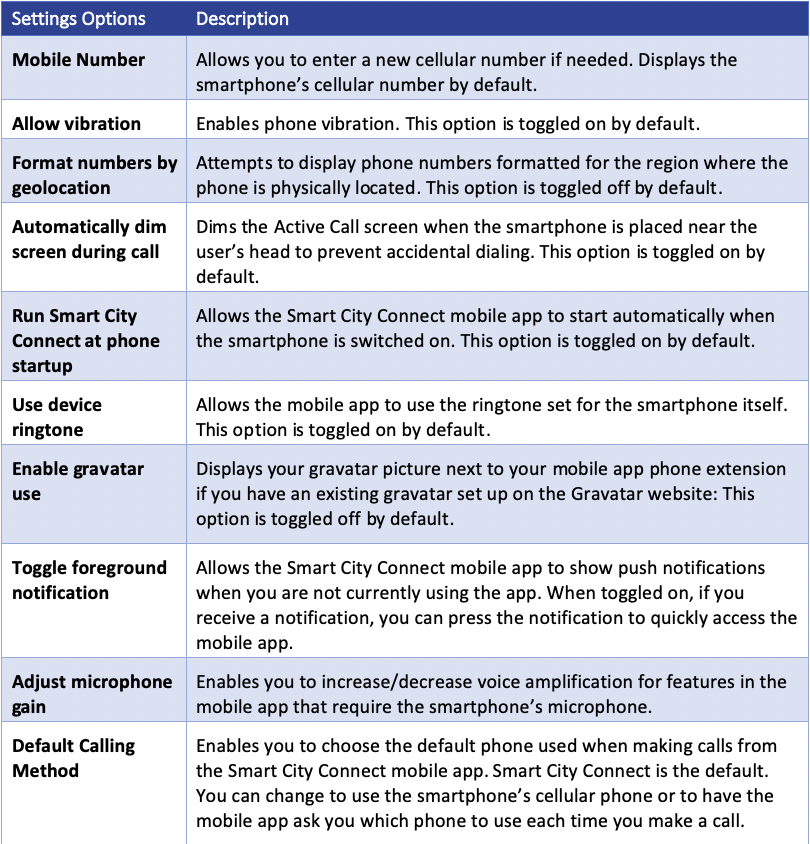
The settings section allows you to select your preferred options when using the Smart City Connect mobile app:
To view or change app settings:
- Press the hamburger icon in the lower-right corner of the screen.
A Navigation bar list displays with options.
2. Press the Settings icon.
3. The Settings screen displays.

The following table describes each option on the Settings screen: