
Configurable User Table Columns features provide the ability to select the information that is displayed on the screen. This enables the user to customize the view on their display. The column options include:
| Configurable User Table Column Options | ||
|---|---|---|
| Department | Emergency Caller ID | Dial Permission |
| Site | Record Calls | |
| Emergency Address | Area Code | Status |
| Caller ID | Dial Plan | Timezone |
To configure this feature:
1. Click on the Users icon in the portal or the Reports button in the Call Center Module.
2. Click on the Table Setting box and select the criteria you want to display on your screen from the dropdown box.
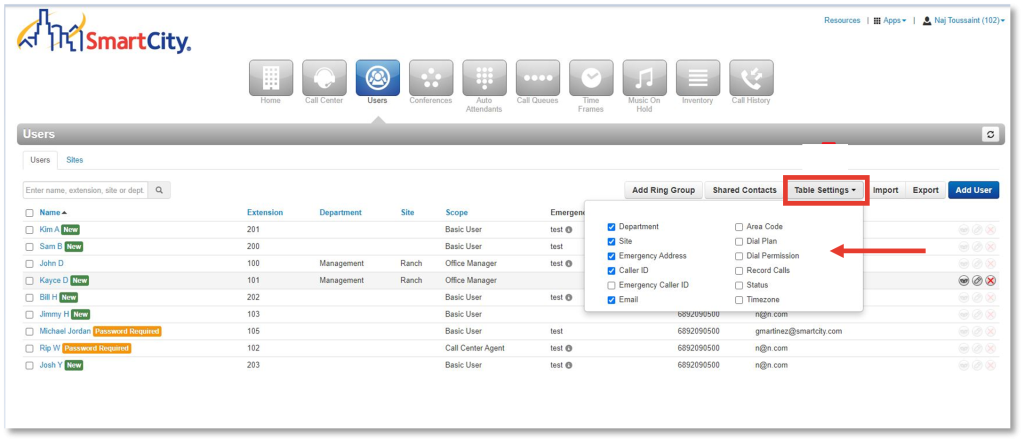
3. Click out of the Table Settings box to view the customized screen.