
To edit an answering rule for this user:
In the Answering Rules tab, hover over the answering rule, and then click the Edit icon at the far right of the row.
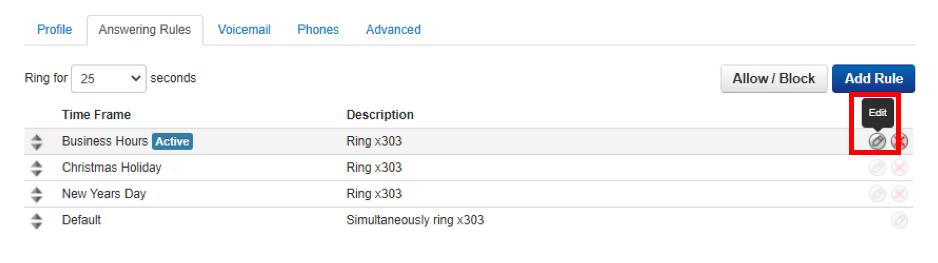
The Edit Answering Rules pop-up window appears.
Change the rule, as appropriate. To help with the changes, see Adding/Editing Answering Rules.
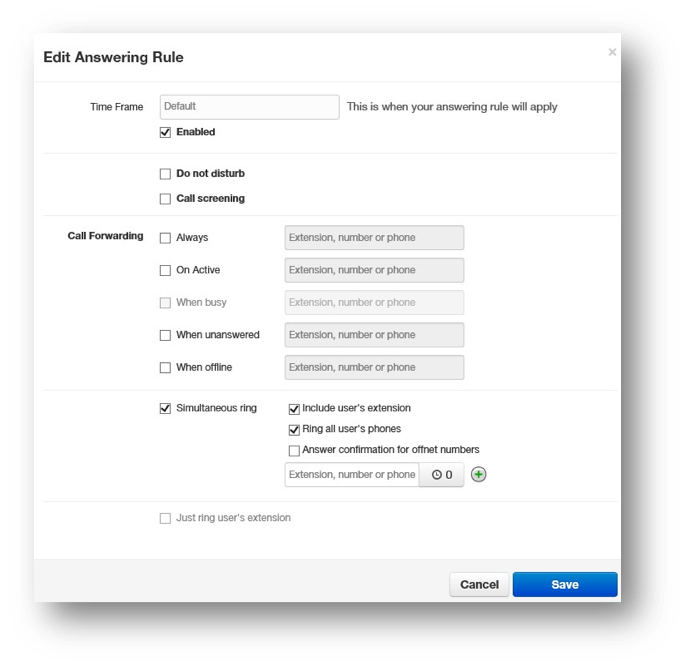
Click Save.