
The settings section allows you to select your preferred options when using the Hosted Voice Softphone application:
To view or change application settings:
1. Open the Hosted Voice Softphone application.
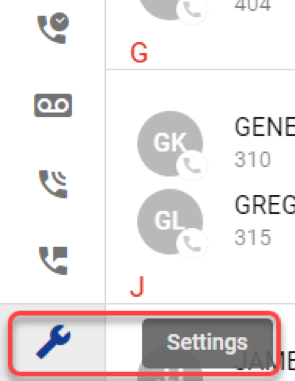
A Navigation panel is displayed on the left side of the screen.
2. Click Settings.
The Settings panel displays.
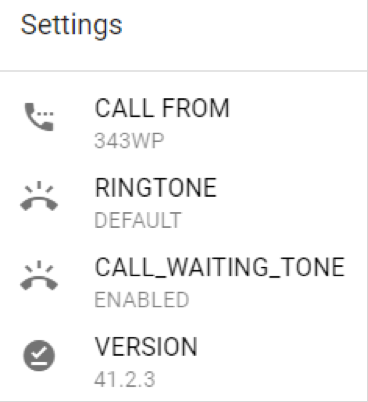
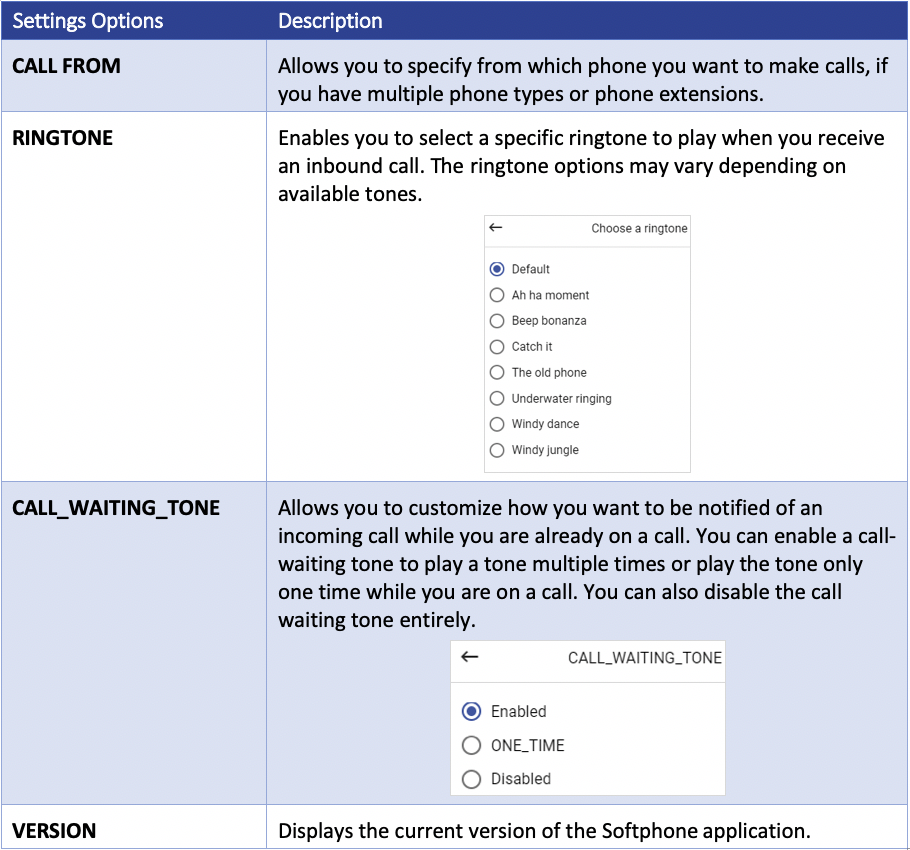
The following table describes each option on the Settings screen:
The Smart City Voice Softphone was recently enhanced. Here are some key feature upgrades:
- UI Framework Upgrade: Seamlessly handle components, including newer images, graphs, & libraries
- PWA (Progressive Web App) & Push Notification: native webphone application without the browser; push support when the application is closed
- iFrame Support: dedicated page with sidebar navigation & configurable icons
- UA Registration Chip: includes network strength/status.
- Hide Menus: in addition to the existing configs that hide particular menus (such as Call History), two additional configs have been added to completely hide the Call Center and/or Settings panel: PORTAL_WEB_PHONE_SHOW_CALLCENTER and PORTAL_WEB_PHONE_SHOW_SETTINGS
- Pin Cards: web phone cards are now easier to pin (lock) in place. The pin icon is located in the upper right-hand corner of each card. Pinned cards will move to the top row.
- Notification of Multiple Instances: when a duplicate web phone tab is opened, the old tab will now display a warning to flag that a softphone is opened elsewhere”. The new tab should take over. The exception is when a call occurs on the old tab. In that case, the old tab will remain active, and the new tab will display a duplicate session warning. Once the new tab is closed, the old tab will auto-refresh and become active. This feature works while using the same browser. It does not work with an incognito window or different browsers/computers.
- Hide Voicemail Forward: When set to no, select PORTAL_WEBPHONE_USERS_VMAIL_HIDE_FORWARD to hide the voicemail forward option in the web phone and the Portal.