
This section will show you how to add user phones and will display a list of what devices are registered to the user’s account.
From the Users page, click the Phones tab. A page similar to this will appear.
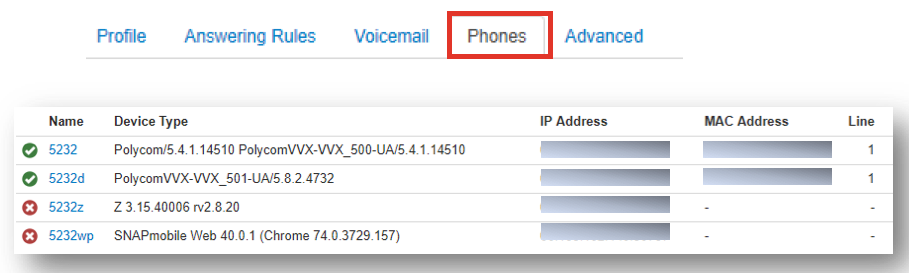
- A green icon next to the device means the device is registered and can send and receive calls without issue.
- A red icon means the device is unregistered. This could be caused because the device is a softphone and is currently turned off, or the phone platform cannot communicate with the device.
- To the right of the status indicator is the device’s name, followed by its type, manufacturer and model number, registered IP address, and MAC address.
- The line number of the device has the extension number displayed.
From the Phones tab, you will be able to:
- Associate a phone with this user
- Edit phones associated with this user
- Delete phones associated with this user